How to adjust the optical port of a Huawei switch
Huawei switches allow you to view, monitor, and adjust optical port parameters using CLI commands such as display transceiver and interface configuration commands.
Viewing Optical Port Information
Before modifying parameters, it is essential to check the current status of the optical ports:
- Use
display transceiverto view all optical modules on the switch. - To check a specific port, run
display transceiver interface interface-type interface-number. This provides details such as transceiver type, connector type, wavelength, transfer distance, vendor information, and digital diagnostic monitoring (DDM) status . - For detailed receive (Rx) and transmit (Tx) power readings, add the
verboseparameter to the command. This shows real-time power levels, voltage, bias current, and thresholds, which are critical for monitoring optical performance .
Modifying Optical Port Parameters
While Huawei switches do not allow direct modification of physical transceiver characteristics (like wavelength or power output), you can configure interface-level parameters that affect optical port behavior:
- Enable or disable the port:
- Enter system view:
system-view - Navigate to the interface:
interface GigabitEthernet 0/0/1(replace with your port ID) - Enable the port:
undo shutdown - Disable the port:
shutdown
- Enter system view:
- Configure VLAN and link type:
- Set access mode:
port link-type access - Assign VLAN:
port default vlan 10 - For trunk mode:
port link-type trunkandport trunk allow-pass vlan VLAN_LIST
- Set access mode:
- Apply QoS and rate limiting:
- Limit outbound traffic:
qos lr outbound cir 100000(adjust bandwidth as needed) - This helps prevent congestion and protects optical links from overload
- Limit outbound traffic:
- Port security:
- Enable MAC binding:
port-security enable - Bind specific MAC addresses:
port-security mac-address sticky - This ensures only authorized devices can transmit through the optical port
- Enable MAC binding:
Monitoring and Diagnostics
- Use
display interface <interface-type> <interface-number>to check link status, port rate, and traffic statistics. - Monitor errors such as CRC, collisions, or frame drops to detect optical link issues .
- Regularly check DDM parameters (temperature, voltage, bias current, Rx/Tx power) to ensure the optical module operates within safe limits .
Best Practices
- Always verify transceiver compatibility with the switch model.
- Avoid exceeding power thresholds to prevent damage to the optical module.
- Save configuration changes with
saveto retain settings after a reboot. - Use monitoring commands frequently to detect early signs of degradation in optical performance. By combining transceiver diagnostics with interface configuration commands, you can effectively manage and optimize optical ports on Huawei switches, ensuring reliable network performance and preventing link failures.
 Factory
 Installing an Optical Module
Installing an Optical Module Context This section describes how to install an optical module. The method used to install a copper
 Factory
 Ethernet Interface Configuration Commands
This page provides configuration commands for Ethernet interfaces on Huawei devices, covering settings like duplex mode and auto
 Factory
 Displaying Optical Module Information
What Is the Impact of Using Non-Huawei-Certified Switch Optical Modules? When certifying an optical module, Huawei
 Factory
 Master the Basic Command Configurations of Huawei, H3C, Ruijie,
As technology advances, networking switches have become an integral part of the IT infrastructure. They play a
 Factory
 Displaying Optical Module Information
To determine whether optical modules delivered for Huawei switches before July 1, 2013 are certified ones, contact Huawei technical
 Factory
 Replacing an Optical Module
Huawei-certified optical modules are strongly recommended because non-Huawei-certified optical modules cannot ensure
 Factory
 Basic CLI Commands on Huawei Switch
This text is a guide detailing Basic Command Line Interface (CLI) Commands on Huawei brand switches. It
 Factory
 How Do I Check the Interface or Port Status?
Checking Service Interface Indicators to Determine the Interface Status Observe service interface indicators to quickly identify the
 Factory
 Installing an Optical Module
A switch must use optical or copper modules that have been certified for use on Huawei S switches. Non-certified optical or copper
 Factory
 Optical Module Solutions for Huawei S5700/S5720 Series Switches
This article summarizes several solutions for using optical modules with switches and common problems encountered
 Factory
 How to View Optical Module Parameters
Using a Command If an optical module is installed in a running device, you can run the display transceiver command
 Factory
 Replacing an Optical Module
Optical modules are electrostatic-sensitive components; therefore, you must take ESD protection measures when replacing optical
 Factory
 Huawei Switches Viewing Optical Port Receiving and Sending
Use the command display transceiver to view the optical module information of all optical ports, and use the command
 Factory
 Troubleshooting S Series Switch Port and Interface Problems
Introduction This document describes how to check the switch interface or port status and how to locate an interface physically down
 Factory
 What Is an All-Optical Ethernet Switch?
All-optical Ethernet switches are a type of switch that provides optical uplink and downlink ports, making them an ideal
 Factory
 Huawei Enterprise Support Community
We''re sorry but web site doesn''t work properly without JavaScript enabled. Please enable it to continue.
 Factory
 9 Query Commands for Huawei Switches
This article will introduce in detail the nine query commands of Huawei switches to help you quickly understand the
 Factory
 Checking the Interface Status and Configuration Parameters
If a message is displayed, indicating that the optical module is not in position, remove and then properly insert the optical module. If
 Factory
 Configuring Attributes for an Optical Interface
The indicator status of a split 40GE port is the same as that of the 10GE port to which the first split optical fiber is
 Factory
 Replacing an Optical Module
Use optical modules certified for Huawei data center switches. Non-certified optical modules cannot ensure transmission reliability
 Factory
 Optical Fiber
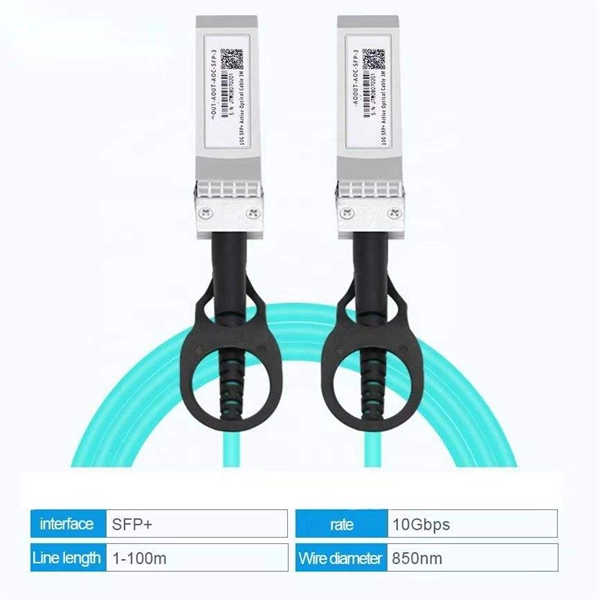
AOC An active optical cable (AOC) is a fixed-length optical fiber with optical modules at both ends. It can be directly connected to an
 Factory
 Huawei Switch Configuration Tutorial Basic
With hands-on experience in Huawei OLT and ONT configuration, U2000 NMS deployment, iMaster NCE-FAN Lite
 Factory
 How To Switch Optical/Electrical Mode On Huawei Router Combo Ports
This article takes the Huawei AR5710S-S8T2X router as an example to explain how to switch the optical and
 Factory
 Troubleshooting for Optical Modules on Huawei Switch
When the transmit/receive power of the optical ports is too high, optical modules on the ports may be damaged. In this case, connect
 Factory
 Replacing an Optical Module
A switch must use optical or copper modules that have been certified for use on Huawei S switches. Non-certified optical or copper
 Factory
 Huawei S3700, S5700 and S6700 Switches Support Guide, Manuals
S3700&S5700&S6700 Series: Access product manuals, HedEx documents, product images and visio stencils.
 Factory
 Configuring the Working Mode of a Combo Interface
This guide explains how to configure the working mode of a combo interface on Huawei devices, including switching between
 Factory
 Troubleshooting for Optical Modules on Huawei Switch
When connecting switches through optical ports, pay attention to the following points: The optical modules used on both ends must
 Factory
 CloudEngine S5732-H Series | Huawei Enterprise
The CloudEngine S5732-H Series Hybrid Optical-Electrical Switch is a new generation of 10 GE access switch, featuring 24 optical
 Factory
 How Do I Query the Optical Power of an Interface?
How Do I Query the Optical Power of an Interface? You can run the display interface [ interface-type interface-number
 Factory
 Installing an Optical Module
Remove the dust plug from an optical port. Keep the dust plug for future use. Ensure that the optical module is correctly oriented and
 Factory
 Installing Optical Module Tutorial For HUAWEI Switch
Module installation is an important factor affecting the service life of switches and modules. In the installation process, be sure to
Factory Connecting a Cable to an Optical Port
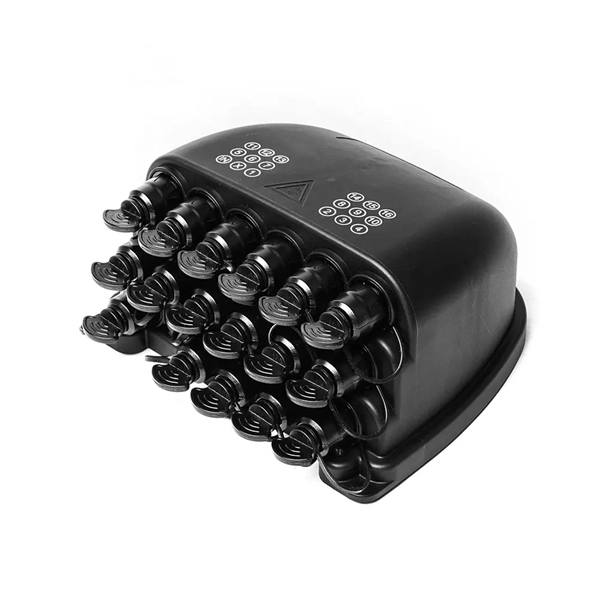
Ensure that optical cables are routed straightly and bound neatly, and that cable ties are installed at even spacing and fastened
 Factory
 Typical Troubleshooting Cases of Optical Module
(For details about the commands for querying port information, see the command reference of a specific switch model.) Use an
 Factory
 How To Switch Optical/Electrical Mode On Huawei Router Combo Ports
The Combo electrical port and its corresponding optical port are logically multiplexed. Users can choose either port
 Factory
 Configuring Optical Interface Attributes
Configuring Optical Interface Attributes Configuring Interface Split and Merge Configuring Unidirectional Single-Fiber Communication
 Factory
 How To View Optical Transceiver Information On Huawei Switches
Optical transceivers are widely applied in switches, network cards, routers and other communication devices.