Where to configure Huawei fiber optic panel networking
Huawei fiber optic networks are set up by connecting the main FTTR or ONT to the fiber uplink, cascading sub-devices if needed, and configuring the network via the web interface.
Physical Installation
- Mounting the Device: Place the Huawei ONT or FTTR main unit on a desk or wall, keeping it away from strong magnetic or electrical fields such as microwaves. Ensure at least 10 cm clearance on all sides for ventilation. Use expansion bolts and screws to secure wall-mounted devices, leaving 5 mm of screw ends exposed for stability .
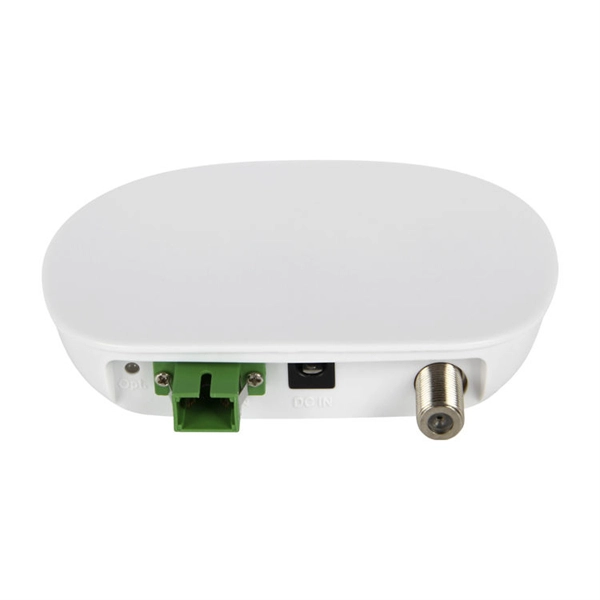
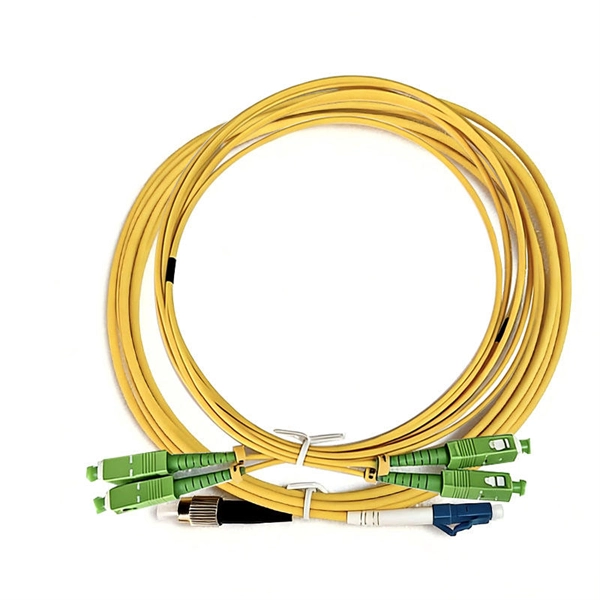
- Fiber Connection: Connect the fiber optic cable to the optical port (SC/APC connector) on the main FTTR or ONT. For FTTR setups, the main device can support up to 16 sub-devices connected via fiber or Wi-Fi mesh. Transparent fiber cables are pre-connected, so no splicing is required. Use ATB boxes to manage excess fiber length and corner/internal cable supporters to guide fiber along walls .
- Ethernet and Phone Connections: Connect a Cat5e cable from the device's LAN port to your PC or switch. If using voice services, connect the phone cable to the TEL port. Optional USB devices can be connected to the USB port .
- Power Connection: Plug the power adapter into the device and a home electrical outlet. Ensure the POWER indicator turns green, indicating the device is powered on .
Web-Based Configuration
- IP Address Setup: Set your PC's IP address to the same subnet as the Huawei device. For example, if the device IP is 192.168.18.1, set your PC to 192.168.18.100 .
- Login to Web Interface: Open a browser and enter the device's IP address. Use the username and password printed on the product nameplate. Change the default password after the first login for security .
- Wi-Fi Configuration: Navigate to the WLAN tab in the web interface. Configure 2.4 GHz and 5 GHz Wi-Fi settings, including SSID and password. Enable or disable the wireless function using the WLAN/WPS switch as needed .
- PON Uplink Configuration: Ensure the optical port is connected to the GPON or XGS-PON uplink. The PON indicator should be steady green to confirm a successful fiber connection .
- Sub-Device Setup (FTTR): For FTTR networks, add sub-devices through the web interface or via Wi-Fi mesh. Each sub-device connects to the main FTTR either through fiber or wirelessly, extending network coverage .
Verification and Troubleshooting
- LED Indicators: Check the device LEDs for status. Steady green indicates normal operation, red indicates startup or no internet, and blinking may indicate ongoing connection setup .
- Service Verification: Confirm LAN, Internet, IPTV, and TEL services are functioning by checking the corresponding LED indicators .
- Reset if Needed: Press the reset button for more than 10 seconds to restore factory defaults, except for the FTTH ID . By following these steps, you can successfully set up a Huawei fiber optic panel network, ensuring both physical connectivity and proper network configuration.
 Factory
 Huawei OptiXstar HG8145V5 Manual | ManualsLib
Generally, the Huawei ONT automatically selects the optimal channel. If the network is slow or the quality turns poor from time to
 Factory
 How to Configure Huawei FTTR
How to Configure Huawei FTTR - OptiXstar F50 englisch Configuration instruction for Huawei FTTR OptixStar F50
 Factory
 How to use a Huawei indoor fiber optic router
This Huawei router setup tutorial is perfect for beginners and works on most Huawei models including HG series, AX3, 4G/5G
 Factory
 Huawei HG8245W5 Manual: How to Set Up, Troubleshoot, and
Discover detailed guidance on downloading and utilizing the Huawei HG8245W5 manual for setup, troubleshooting, and optimizing
 Factory
 I need help setting up WAN for Huawei HG8245H router with optic
Unless you are manually configuring that information then maybe try setting that to DHCP and let the router handle IP
 Factory
 Optical Fiber
A single-mode optical fiber and a multimode optical fiber have the same appearance but different colors. A single-mode optical fiber
 Factory
 Connecting Cables
The fiber connector connected to the optical port on the wall varies depending on actual conditions. To ensure normal use of fibers,
 Factory
 Fiber Patch Panels: A Beginner''s Guide | RLH Industries, Inc.
Fiber optic patch panels are enclosures that act as a distribution hub for fiber cable. A bulk (multi-strand) fiber cable enters the patch
 Factory
 How do I configure my HUAWEI WiFi Mesh 3 for the
How do I configure my HUAWEI WiFi Mesh 3 for the first time 1-Pack: Connect an Ethernet cable from the
 Factory
 Optical Access
Based on PON technology, passive all-optical network access solutions enable access by any media, tailored to enterprises, ISPs,
 Factory
 How To Use A Fiber Optic Patch Panel
What Is aFiber Optic Patch Panel? Patch panel is defined as the interface between multiple optical fibers and optical
 Factory
 HUAWEI Router Support
You can use a computer to complete initial configuration for your router on its web-based management page. Setup
 Factory
 Fiber Internet Installation: Step-by-Step Guide (2026)
Get fiber internet installation done right for your home or business. Enjoy lightning-fast speeds and stable connections
 Factory
 Enabling pass through in a Huawei optic router
I plugged in my Archer router into port #4 of the Huawei router (I had previously plugged it into port #1, as one does),
Factory How to Configure Huawei FTTR
How to Configure Huawei FTTR - OptiXstar F50 (Fiber Uplink) Configuration of OptixStar F50 (Fiber Uplink)
 Factory
 Initial Configuration of New Huawei OLT
To have a clearer understanding of how the OLT connection is structured when performing the configuration, you can refer to the
 Factory
 How do I configure my HUAWEI WiFi Mesh 7 for the first time
How do I configure my HUAWEI WiFi Mesh 7 for the first time 1-Pack: Take out the router from the pack, connect an Ethernet cable
 Factory
 How to Configure a Huawei Router? ️
Tecnobits - Networks & Connectivity - How to Configure a Huawei Router? The Huawei router is an essential device
 Factory
 How to Install Huawei GPON ONUs for Optimal Performance
Deploying and configuring GPON ONU Huawei, ZTE 6600P, and ZTE F670L devices is a critical step for ensuring that
 Factory
 HUAWEI HG8245H PRODUCT DESCRIPTION Pdf Download
View and Download Huawei HG8245H product description online. EchoLife ONT GPON Terminal. HG8245H network router pdf
 Factory
 How to Access and Configure Huawei HG8245H Fiber Optic Modem
This video provides a step-by-step guide on how to troubleshoot network access and successfully log into the settings page of a