Cisco Fiber Optic Switches aliases
Cisco Fiber Optic Switches, such as the MDS series, support device aliases for WWPNs and CLI command aliases to simplify SAN management and operational tasks.
Cisco Fiber Optic Switches
Cisco offers a range of Fibre Channel (FC) switches designed for high-performance Storage Area Networks (SANs). For example, the Cisco MDS 9124V is a 64-Gbps, 24-port Fibre Channel switch that provides low-latency connectivity for all-flash arrays and high-performance hosts. It supports advanced features such as automatic zoning, nonblocking forwarding, NVMe/FC readiness, and enhanced diagnostics like Inter-Switch Link (ISL) and Host-Bus-Adapter (HBA) diagnostics . These switches can operate in switch mode or Network Port Virtualization (NPV) mode, allowing flexible SAN architectures for small to large enterprises .
Device Aliases for WWPNs
In Cisco MDS switches, device aliases are used to assign friendly names to World Wide Port Names (WWPNs), simplifying SAN management. Unlike the older fcalias command, device aliases are defined once per WWPN and apply across all VSANs, reducing configuration complexity . To create a device alias:
- Enter device-alias database mode:
mds(config)# device-alias database - Define the alias:
mds(config-device-alias-db)# device-alias name <FriendlyName> pwwn <WWPN> - Exit and commit changes:
mds(config-device-alias-db)# exitandmds(config)# commitDevice aliases are automatically distributed to other Cisco-attached switches, ensuring consistent naming across the SAN fabric .
CLI Command Aliases
Cisco switches also support CLI command aliases, which allow network engineers to create shortcuts for frequently used commands. This reduces typing effort and minimizes errors. For example:
alias exec sir show ip routecreates a shortcutsirforshow ip routealias exec sib show ip interface briefcreates a shortcutsibforshow ip interface briefAliases can be customized for monitoring CPU, memory, interface status, security settings, or QoS/DCB configurations, enhancing operational efficiency in both data center and enterprise environments .
Summary
- Hardware: Cisco MDS Fibre Channel switches like the 9124V provide high-speed, low-latency SAN connectivity with advanced diagnostics and NVMe/FC support .
- Device Aliases: Simplify WWPN management across VSANs and are automatically propagated to connected switches .
- Command Aliases: Reduce repetitive CLI typing, improve troubleshooting speed, and streamline SAN operations . Using both device and command aliases effectively can significantly enhance SAN management, reduce configuration errors, and improve operational efficiency in Cisco Fibre Channel environments.
 Factory
 Fabric Configuration Guide, Cisco DCNM for SAN, Release 6.x
All switches in the Cisco MDS 9000 Family support Distributed Device Alias Services (device alias) on a per-VSAN
 Factory
 ddas.mif
All switches in the Cisco MDS 9000 Family support Distributed Device Alias Services (device alias) on a per VSAN basis and on a
 Factory
 Solved: device-alias change
OK, first timer here, so be nice 🙂 I have a nexus 5548 (2 actually) on which we''re using both ethernet and fibre channel
 Factory
 Cisco DCNM SAN Client Online Help
When device alias runs in the basic mode, all applications function like the applications on the Cisco SAN-OS
 Factory
 How to configure fiber optics on a Cisco switch
This tutorial will explain the steps required to configure fiber optics on a Cisco switch and ensure proper connectivity
 Factory
 Cisco Nexus 9000 Series NX-OS SAN Switching Configuration Guide
Cisco SAN switches support Distributed Device Alias Services (device aliases) on a fabric-wide basis. When the port
 Factory
 Distributing Device Alias Services
Distributing Device Alias Services All switches in the Cisco MDS 9000 Family support Distributed Device Alias Services (device alias)
 Factory
 Cisco CLI Switch Command Cheat Sheet for 2025
Here''s the Cisco CLI Switch Command cheat sheet you need for configuring and managing Cisco switches The Cisco
 Factory
 CISCO-FC-DEVICE-ALIAS-MIB MIB – Observium MIB Browser
Once configured, the Device Alias can be used in place of the WWN. On the switch, this MIB assists in defining the Device Aliases
 Factory
 Cisco Systems MDS 9000 Using Device Aliases or FC Aliases, Saving
Step 1 Select Switches > Hosts or Switches > Storage. You see the end devices in the Information pane. and select Save Selected
 Factory
 USING ALIASES FOR CISCO COMMAND SHORTCUTS
In an endeavour to make life easy for Cisco device implementors and, Cisco uses the concept of “Aliases” – to save
 Factory
 Cisco Systems MDS 9000 Using Device Aliases or FC Aliases, Saving
Cisco Systems MDS 9000 Using Device Aliases or FC Aliases, Saving Device Aliases to the Switch . Using Device Aliases or FC
 Factory
 Configuring Fibre Channel Interfaces
In Cisco Nexus 5000 Series switches, the BB_credit mechanism is used on Fibre Channel interfaces but not on virtual Fibre Channel
 Factory
 Cisco MDS Fibre Channel (FC) switch show commands
Here''s a list of commonly used Cisco MDS Fibre Channel (FC) switch show commands along with their explanations
 Factory
 Managing FC Alias
Note For creating a FC Alias for Cisco Nexus 7000 Series switches, expand the pod and choose the network device. Click the VDC
 Factory
 Cisco Optical. Cisco icons, shapes, stencils and symbols
Cisco optical - Vector stencils library The vector stencils library "Cisco optical" contains 19 symbols of optical devices for drawing
 Factory
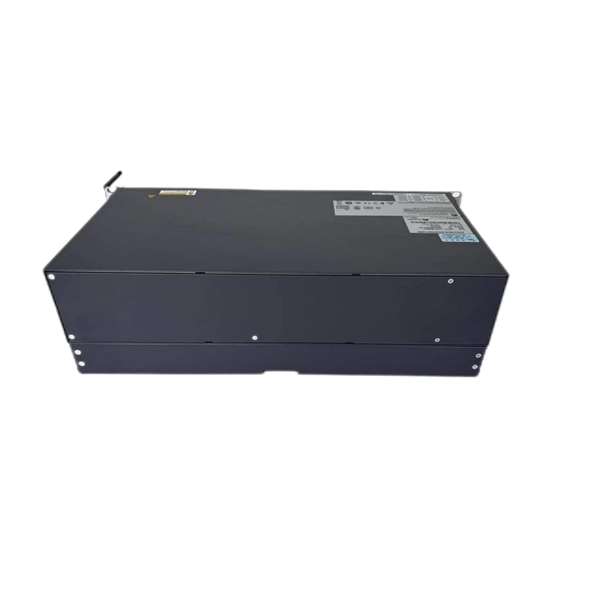
 Catalyst 6500 Series 10
This data sheet describes the benefits, specifications, and ordering information for the Catalyst 6500 Series 10- and
 Factory
 Cisco MDS 9000 Series Fabric Configuration Guide, Release 9.x
All the switches in the Cisco MDS 9000 Series support Distributed Device Alias Services (device alias) on a fabric-wide
 Factory
 Solved: Choosing a Fibre Switch
I''m planning a large network deployment and I need a 10Gb-Fibre switch to connect the distribution switches in a
 Factory
 Using Device Aliases or FC Aliases, Saving Device Aliases to the
For each fabric that you are monitoring with Fabric Manager Server, check the Device Alias check box to use global device aliases,
 Factory
 Device-alias replace MDS Switch
Hi, I would like to know: How can I replace device-alias pWWN using command line? How can I add a new pWWN to
Factory Cisco IOS Configuration Fundamentals Command Reference
To create a command alias, use the alias command in global configuration mode. To delete all aliases in a command mode or to
 Factory
 Cisco DCNM SAN Client Online Help
All switches in the Cisco MDS 9000 Family support Distributed Device Alias Services (device alias) on a per-VSAN
 Factory
 Cisco Nexus 5000 Series NX-OS Software Configuration Guide
Switches in the Cisco Nexus 5000 Series support Distributed Device Alias Services (device aliases) on a fabric-wide
Factory IOS Command Shortcuts; aka alias
Preparing for CCIE Lab ? you may find creating command shortcuts may save you time spent on typing. Here is a brief list I found;
 Factory
 Essential Cisco Command Aliases for Network Engineers
In this post, I''ll share some clever and useful Cisco CLI aliases that you can configure on your switches and routers,
 Factory
 What is the difference between "FCAlias" & "Device-Alias"?
FCalias will interoperate with some non-Cisco fibre channel switches. FCaliases are propagated via a zoneset activate
 Factory
 D Commands
D Commands This chapter describes the Cisco NX-OS Fibre Channel, virtual Fibre Channel, and Fibre Channel over Ethernet