Configuring and Using Network Security Devices
Configuring network security devices involves assessing your network, planning device placement, setting up firewalls, routers, and switches with security in mind, and maintaining them through monitoring and updates.
Assess Your Network Requirements
Before configuring any device, evaluate your network needs, including the number of devices, types of data traffic, and security requirements. This assessment helps determine IP addressing schemes, routing protocols, and firewall rules that align with your organizational goals and ensures a secure and efficient network infrastructure .
Plan Your Network Layout
Create a network diagram showing the placement of routers, switches, firewalls, and access points. This visual representation helps you understand device interactions, optimize performance, and simplify troubleshooting . Include redundancy to prevent single points of failure.
Configure Routers and Switches
- Access the device interface via a web browser or command-line interface using the device's IP address .
- Set IP addressing and routing protocols such as RIP, OSPF, or EIGRP to manage traffic between network segments .
- Enable security features like access control lists (ACLs), port security, and VLAN segmentation to limit unauthorized access .
- Harden devices by disabling unused services, changing default passwords, and applying firmware updates .
Configure Firewalls
Firewalls act as the first line of defense against unauthorized access. Key steps include:
- Define inbound and outbound rules to allow legitimate traffic and block malicious connections .
- Segment networks into trusted (private) and untrusted (public) zones, applying stricter rules to public networks .
- Enable advanced features such as intrusion detection, VPN support, and web content filtering .
Enable Network Protection
For enhanced security, enable network protection features to block access to malicious domains and prevent phishing or malware attacks. This can be configured via endpoint security policies, Group Policy, Intune, or PowerShell, depending on your environment .
Monitoring and Maintenance
- Regularly update firmware and patches to protect against known vulnerabilities .
- Audit logs and traffic patterns to detect anomalies or potential threats .
- Use analytics tools to transform raw network data into actionable insights, helping predict and respond to security risks .
- Test configurations in a controlled environment before deployment to ensure stability and security .
Best Practices
- Apply least privilege principles for device access.
- Maintain documentation of configurations and network topology.
- Implement redundancy and failover mechanisms to ensure network resilience.
- Continuously train staff on emerging threats and configuration updates. By following these steps, you can ensure that your network security devices are properly configured, hardened, and maintained, providing robust protection against cyber threats while optimizing network performance .
 Factory
 SP 800-53 Rev. 5, Security and Privacy Controls for Information
This publication provides a catalog of security and privacy controls for information systems and organizations to
 Factory
 ESTABLISHING NETWORK EQUIPMENT SECURITY
For improved network security, the Trusted Computing Group (TCG) is developing standards/guidance that specifically addresses
 Factory
 How are network devices configured? ️
In this article, we will guide you through the process of configuring network devices, from assigning IP addresses to
 Factory
 Network Security Devices Explained: Types, Examples
Network configuration management tools automate the backup process by securely storing the configuration and state of network
 Factory
 Guide to Network Security Best Practices | Netwrix
Follow these network security best practices to strengthen your network against cybersecurity threats and
 Factory
 What is network security?
What is network security? Network security combines policies and technologies to protect systems and digital assets from
 Factory
 What Is Firewall Configuration? | How to Configure a Firewall
To set up your firewall, access its interface, update firmware, set strong passwords, define network zones, configure access control
 Factory
 Best Practices for Configuring and Maintaining Network Devices
Learn how to configure and maintain network devices using best practices that can optimize your network topology and devices.
 Factory
 Network Device Security: Guide + Recommended Software
Do you know how network devices can affect the security of your entire network? Find out network device
 Factory
 Network Infrastructure Security Guide
Guidance for securing networks continues to evolve as adversaries exploit new vulnerabilities, new security features
 Factory
 What Is Network Configuration?
Key Takeaways Network configuration involves defining and applying settings — such as IP addresses, protocols, and
 Factory
 Device features and settings in Microsoft Intune
Overview of the different Microsoft Intune device profiles. Get info on GPO, features, restrictions, email, wifi, VPN,
 Factory
 Network Device Management Policy
A structured approach to network device management ensures secure configuration, monitoring, and access control
 Factory
 Configure Microsoft Defender for Endpoint with Intune and onboard devices
Connect Microsoft Defender for Endpoint to Intune, onboard devices by platform, and configure compliance and
 Factory
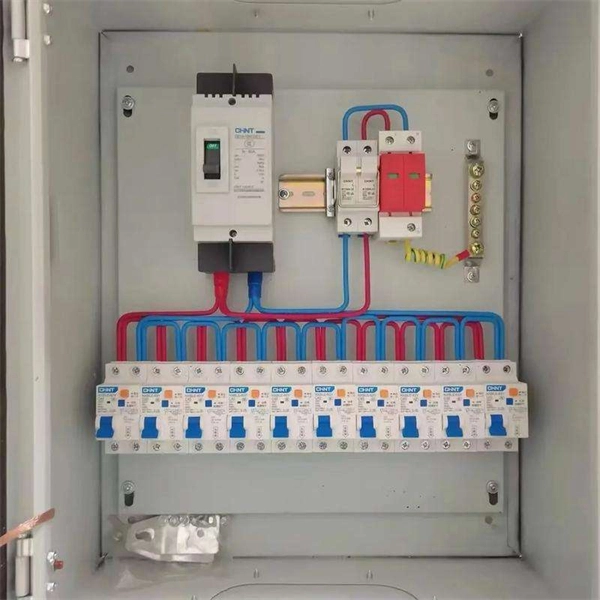
 Network Device Security: Guide + Recommended Software
This guide will look at five of the most common network devices and the role they play in security, along with the role
 Factory
 The Benefits of Proper Network Configuration
Network configuration software can also help you automate your device and make policy changes and updates.
 Factory
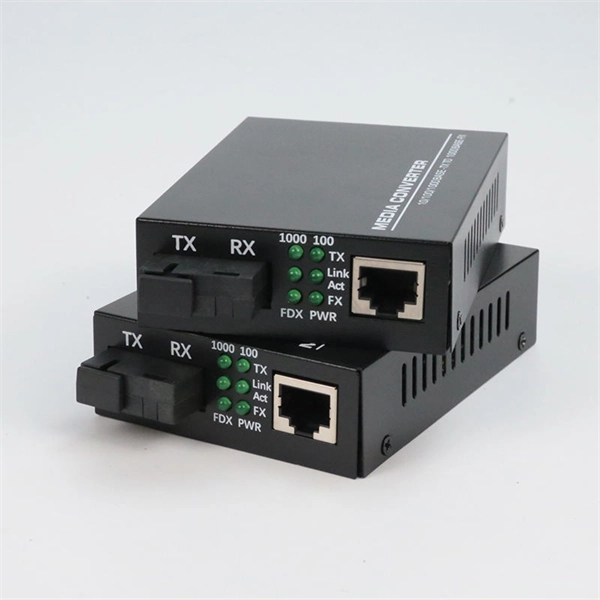
 Securing Network Connections | NIST
- This guide provides recommendations for basic network setup and securing of home routers and modems against
 Factory
 Network Security Administrator: Configuring and Managing Devices
This comprehensive guide explores the processes and best practices for configuring and managing network security devices such as
 Factory
 Network Device Security: Guide and Best Practices
Network device security is one of the most important elements of network management. Learn what it is and best
 Factory
 CIS Control 11: Secure Configuration for Network Devices, such as
Establish, implement, and actively manage (track, report on, correct) the security configuration of network infrastructure devices
 Factory
 What is Firewall Configuration and Why is it Important? | Fortinet
What Is Firewall Configuration? A firewall plays a vital role in network security and needs to be properly configured to keep
 Factory
 Network Configuration: Definition, Types, and Benefits | Motadata
Understand network configuration, its key types, and benefits in managing IT infrastructure, ensuring security, and optimizing
 Factory
 Network security fundamentals | National Cyber Security Centre
This guidance provides an introduction to the key topics to consider when designing, maintaining, or using networks
 Factory
 ESTABLISHING NETWORK EQUIPMENT SECURITY
Devices using autoconfiguration (also known as zero touch configuration or provisioning) can use a TPM to reliably identify
 Factory
 What is network configuration?
Network configuration is the process of setting up the policies, controls and data flows that allow devices
 Factory
 Best practices for network security
This article provides a set of best practices for network security using built in Azure capabilities.
 Factory
 Network Device Configuration Security | Strobes
Expert guide to network device configuration reviews: routers, switches, firewalls. Discover best practices & Strobes
 Factory
 Device security guidance
Advice for organisations on choosing, configuring and using mobile phones, tablets, laptops, desktops and
 Factory
 Network security fundamentals | National Cyber Security Centre
Examples of where certificates can be used are for network access, Transport Layer Security (TLS) and Virtual Private
 Factory
 Firewall and network protection in the Windows Security app
Configure Windows Firewall with Windows Security In the Windows Security app on your PC, select Firewall & network protection or
 Factory
 How to Configure a Firewall in 5 Steps
How to Configure a Firewall in 5 Steps. As the first line of defense against online attackers, your firewall is a critical part of your
 Factory
 Beginner''s Guide to Configuring Network Devices
Beginner''s Guide to Configuring Network Devices - Routers & Switches: Selecting an appropriate router is crucial for